


Casinia login: how to access your account
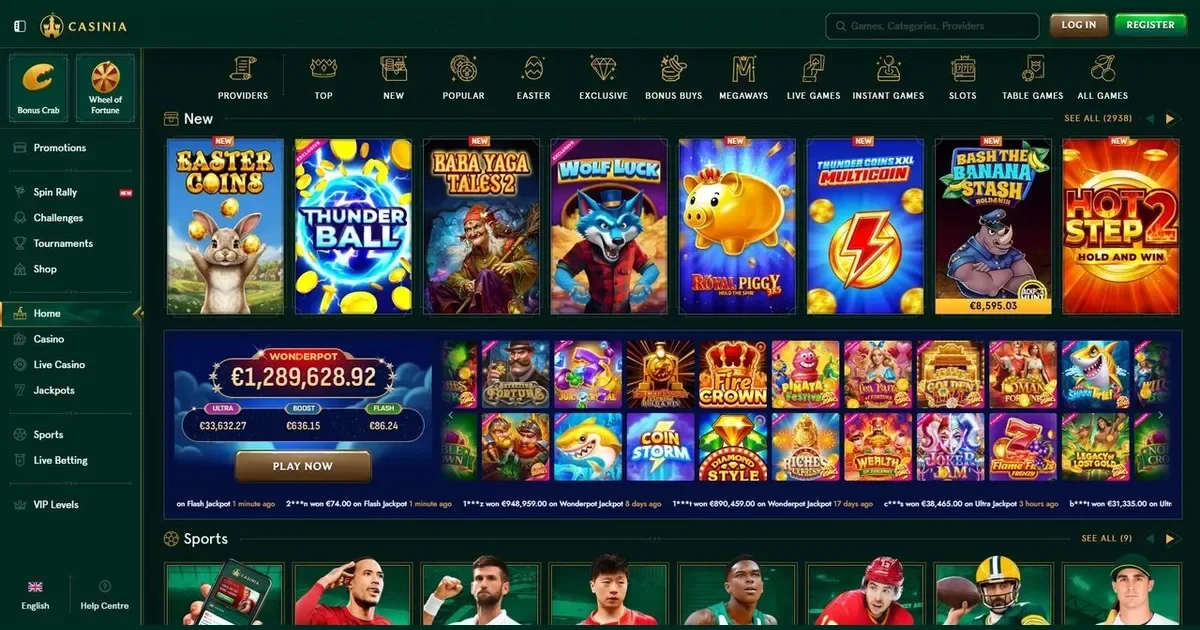
















Your account lives at Casinia, and only the operator can restore, unblock or verify it. This page explains how signing in works, what to do when it doesn't, and where to go for help.
How to sign in to your Casinia account
- Open the operator's site at the address you bookmarked or typed during registration.
- Find the sign-in button and click it.
- Enter the email address and password you chose when you registered.
- You're in — the account page opens and you can deposit, play or check your balance.
No account yet? Registration happens at the operator too — you'll need an email address, a password and a few personal details to get started.
The mobile route
The same account works on your phone. Open the operator's site in your mobile browser, tap the sign-in button, and enter the same email and password you use on desktop. The layout adjusts to the screen, but the steps are identical.
No separate app is mentioned in the operator's materials, so the mobile browser is the route to use.
Why a login is refused
When signing in fails, one of these is usually the cause:
- Wrong email or password. Check for typos, and make sure caps lock is off — passwords are case-sensitive.
- Account not verified. The operator may ask you to confirm your email address or upload ID before first access. Check your inbox for a verification message.
- Browser session issue. Clear your cookies and cache, or try a private window.
- Self-exclusion active. If you set a cooling-off period or self-excluded, the account stays locked until the term ends. Contact support if you need help — never look for a workaround.
- Inactivity fee triggered. Accounts inactive for 180 days are charged 5 EUR per month. Signing in may still work, but check your balance.
Resetting a password the safe way
Forgotten your password? Use the operator's reset link — it's on the sign-in screen, usually labelled "Forgot password?" or similar. You'll receive an email with a link to set a new one. The message arrives at the address you gave during registration, so check that inbox and your spam folder.
If you no longer have access to that email address, contact the operator's support team directly. They'll ask security questions to confirm your identity before making changes — have your account details ready.
Holds, checks and self-exclusion
Sometimes an account is locked on purpose, and signing in won't work until the issue is resolved. Here's what might be behind it:
| Cause | What happens |
|---|---|
| Verification pending | Documents requested within 30 days, usually verified within 10 days after submission |
| Self-exclusion | Account closed for the period you chose — no access until the term ends |
| Inactivity beyond 180 days | 5 EUR monthly fee deducted; account may be restricted |
| Security check | Face verification or phone call may be required before withdrawal |
None of these are bugs. If you're unsure why access is blocked, the operator's support team will explain — see the next section.
Support channels
Account problems go to the operator, not to this portal. Reach Casinia support at [email protected] or through the 24/7 live chat. The financial department works Monday to Friday, 6 AM to 5 PM GMT — withdrawal and verification queries are handled during those hours.
Before you write, have these ready: the email address you registered with, when the problem started, and the exact message you see on screen. That speeds things up.
Keeping access safe
Sign in only at the operator's own address — the one you typed or bookmarked when you first registered. Never follow a link in an email or a message; phishing sites look real and they're built to steal credentials.
Use a password you don't use anywhere else. If another site leaks it, your account here stays safe. And if you're on a shared device, sign out when you're done — don't leave the session open for the next person.
Gambling should be entertainment, not a chore. You must be 18 or over (18+) to hold an account. If it ever stops feeling like fun, free confidential support is available at BeGambleAware.org and through the National Gambling Helpline on 0808 8020 133 (free, 24/7). GamStop offers free national self-exclusion across all licensed UK sites.
This page is for information and marketing purposes only. We are not a casino operator, a bookmaker or an organiser of gambling. Access to this content is restricted to persons aged 18 and over (18+). We encourage you to gamble responsibly – for free, confidential support visit BeGambleAware.org.
Frequently asked questions
Can I sign in to Casinia from my phone?
Yes. Open the operator's site in your mobile browser and use the same email and password you use on desktop. The account is the same across devices.
What do I do if I've forgotten my Casinia password?
Use the password reset link on the sign-in screen. You'll receive an email with instructions to set a new one. If you no longer have access to that email address, contact [email protected].
Why won't my Casinia login work?
Check for typos in your email or password, make sure caps lock is off, and clear your browser cookies. If the account is unverified or under self-exclusion, you'll need to resolve that with the operator first.
Can this portal recover my Casinia account?
No. This is an independent information site with no access to player accounts. Only the operator can restore, unblock or verify your account — contact [email protected] or use the 24/7 live chat.
Game Providers